 Broken Crimp
Back up and move your climbs
Your climbs live only on your device, with no account or server behind them. If the device is lost, or the app is removed, they go with it, so a backup is the one copy you control.
A backup holds everything in the app. To send one climb, use its own file instead.
1. Make the backup
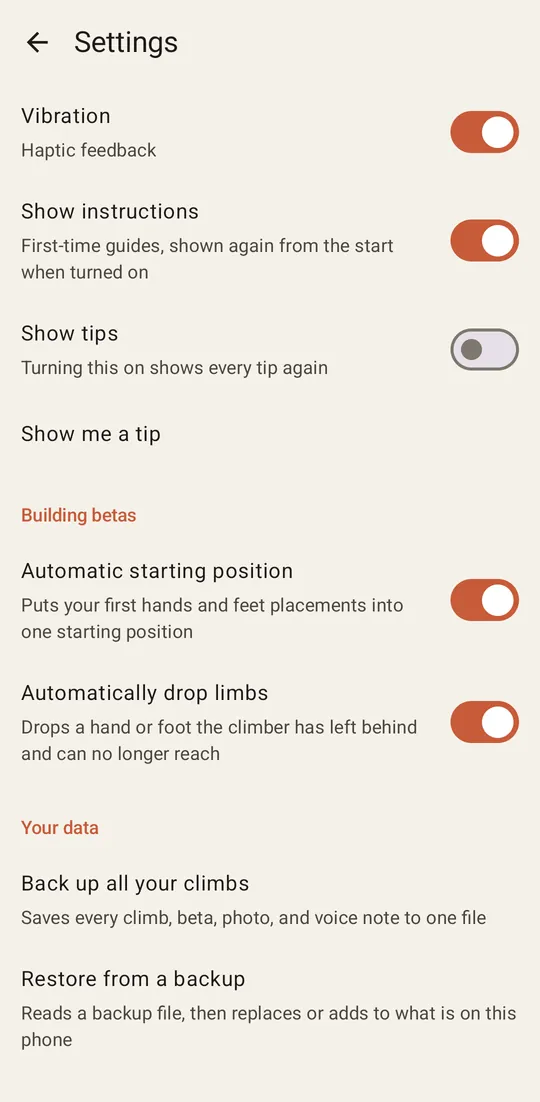
Press the gear on the climb list to open Settings, scroll to Your data and choose Back up all your climbs. Choose where to save it. The name has the date in it, for example broken-crimp-backup-2026-11-04.bcbackup.
Photos make up most of its size, so expect it to grow with your climbs.
2. Keep it away from the device
A backup on the same phone is lost with the phone. Put it in cloud storage, send it to yourself, or copy it to a computer.
3. Restore it
Choose Restore from a backup and pick the file. It works on the same device or a new one, and a backup from the Android app opens in the web version, and the other way round. The app shows what the file holds and offers two choices.
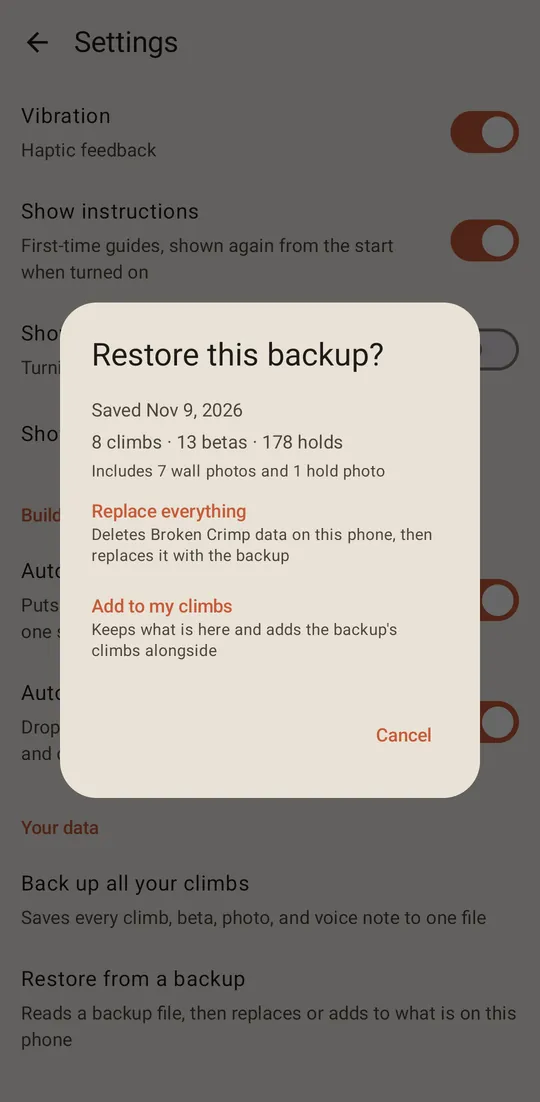
Add to my climbs
Keeps what is on the device and adds the backup’s climbs beside it. Choose this when moving climbs to a device you already use.
It adds a copy of everything, even a climb you already have. Restoring a backup onto the phone that made it leaves you with two of each climb.
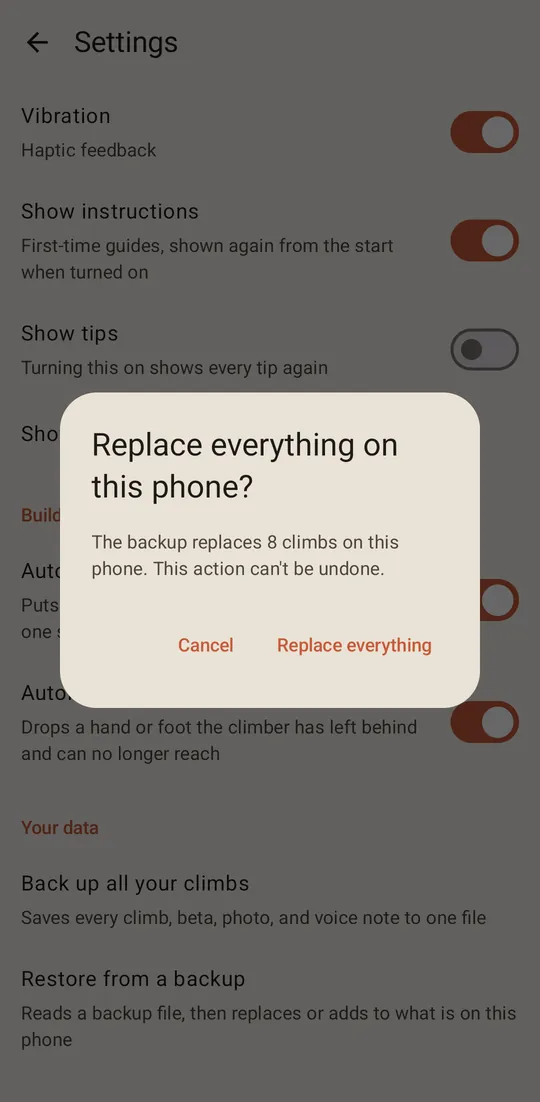
Replace everything
Deletes all the Broken Crimp data on the device and puts the backup in its place. Choose this for a new device, or to go back to how things were. Anything made since that backup is lost, and the action cannot be undone, so the app asks again first and then restarts.
4. Use your climbs on another device
A backup also moves your climbs between devices. To see the climbs from your phone on a computer, make a backup on the phone, open the web version on the computer, and restore the file there. Using it on a computer has more about the web version.
The two copies don’t stay in sync, because Broken Crimp has no servers. A change on one device stays on that device until you make a new backup and restore it on the other. Add to my climbs then adds a second copy of every climb, so choose Replace everything if the other device has nothing you need to keep.