 Broken Crimp
Pin a hand or foot
When the climber moves too far from a hold, the app drops the hand or foot on it, and the limb hangs free. Keeping it on the hold would stretch the arm or leg longer than a real one, so most of the time dropping it is right.
The climber is only an approximation of a body, though, and a real one often reaches further than the figure suggests: a long reach, a wide bridge, a heel hook far out to the side. When the limb really does stay on, pin it to keep it on its hold anyway.
A pinned limb stretches as far as it has to, with no limit, so it can look much longer than the rest of the figure.
1. Pin the limb
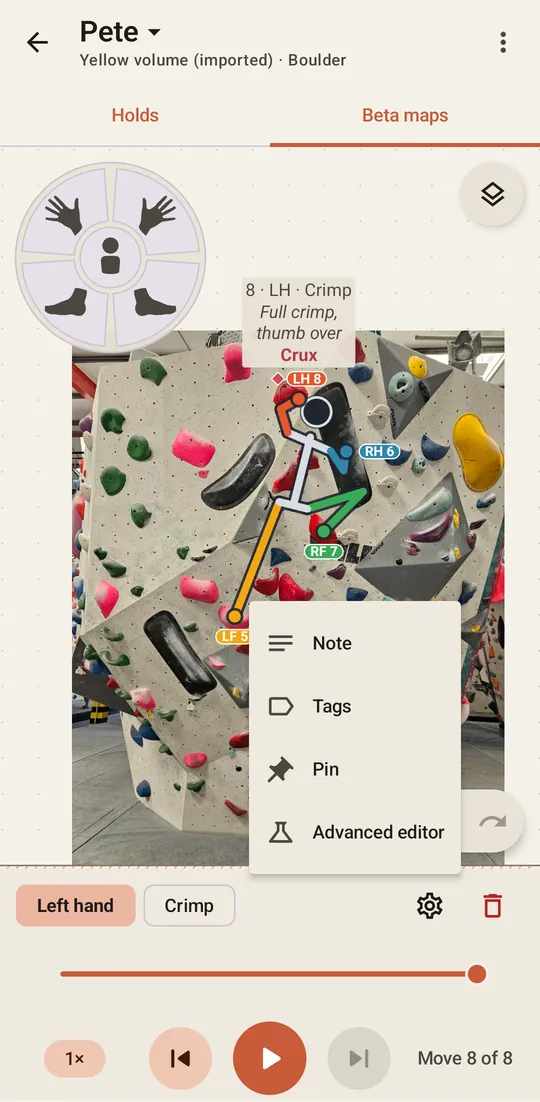
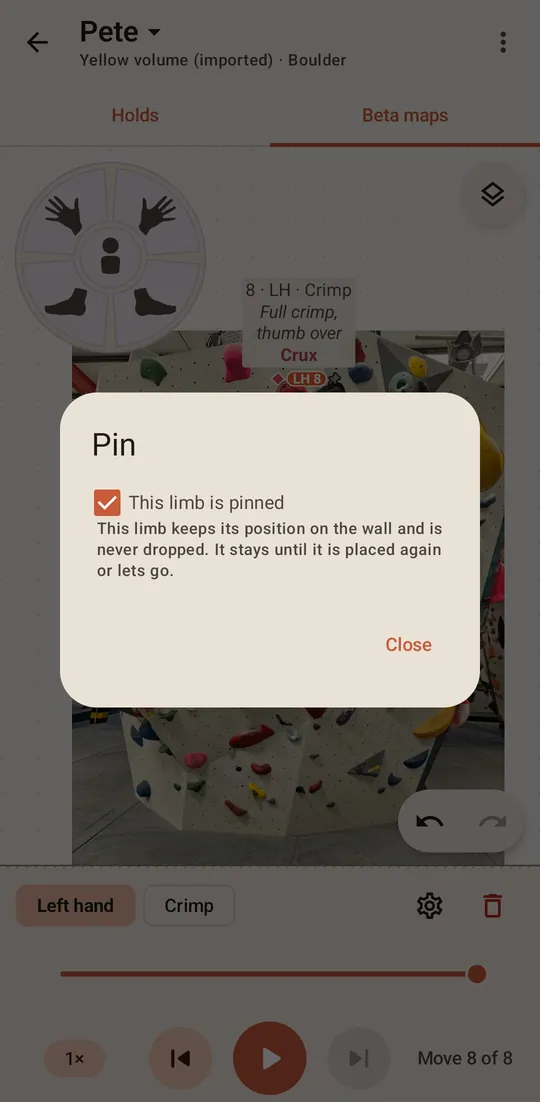
Go to the move that placed the limb, with the arrows or the slider. Press the gear on the move’s bar, choose Pin, and tick This limb is pinned. On a move where several limbs go at the same time, the dialog lists each of them.

 or the slider. Press the gear on the move’s bar, choose Pin, and tick This limb is pinned. On a move where
2. Check it on the wall
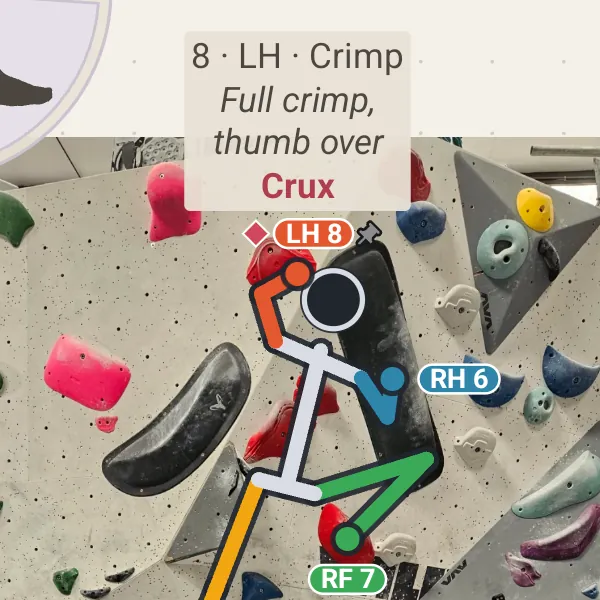
A small pin appears beside the limb’s label on the Beta maps tab. The limb stays on its hold until you place it again or it lets go.
To undo it, open the same dialog and untick the box.
Turn dropping off altogether
To keep every limb on its hold on all your climbs, press the gear on the climb list to open Settings and turn off Automatically drop limbs. Every limb then stretches as far as it has to, on every move.