 Broken Crimp
Compare two betas
See where your beta and a friend’s differ, or decide between two ways of doing your own crux, on the same wall.
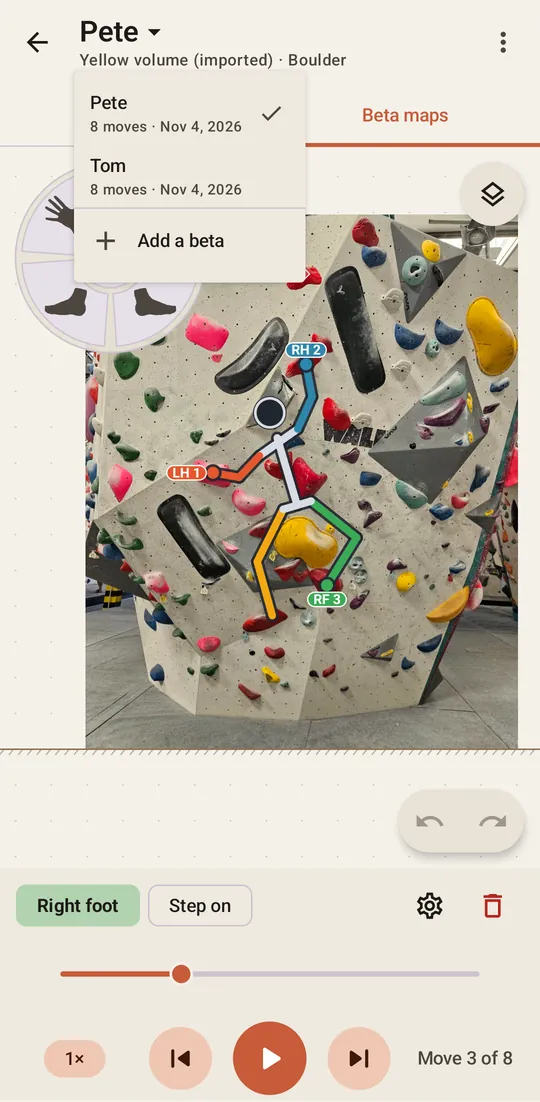
1. Add a second beta
Tap the beta’s name at the top of the Beta maps tab and choose Add a beta, then set the moves. To change only a few moves of a beta you already have, choose Duplicate beta in the menu instead.
The same menu has Rename beta, so you can tell them apart by name, and Delete beta for one you no longer want. Deleting a beta leaves the climb and its holds alone.
2. Choose the two
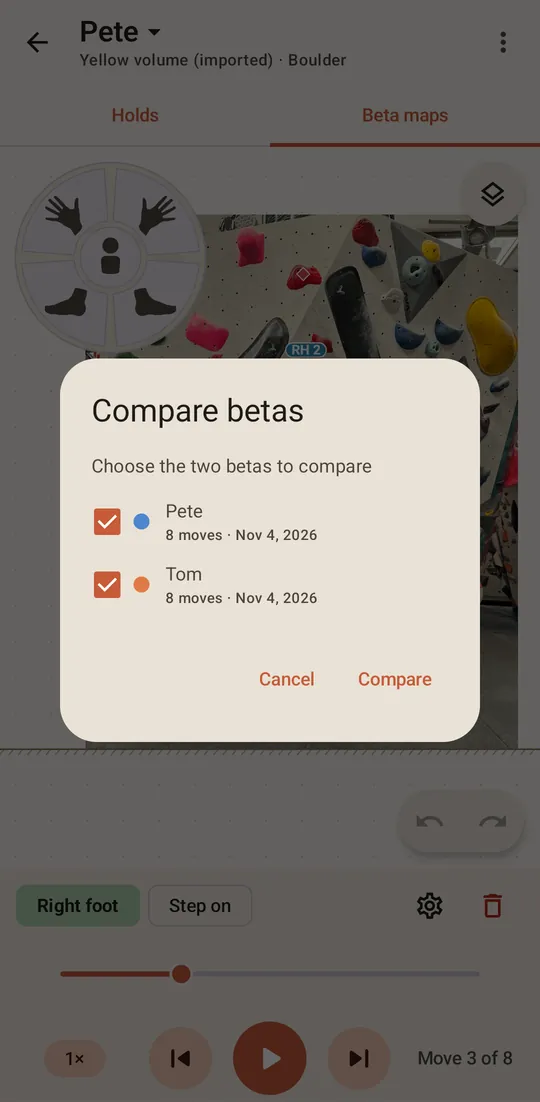
Choose Compare betas… in the menu, tick two betas, and press Compare.
3. Press play
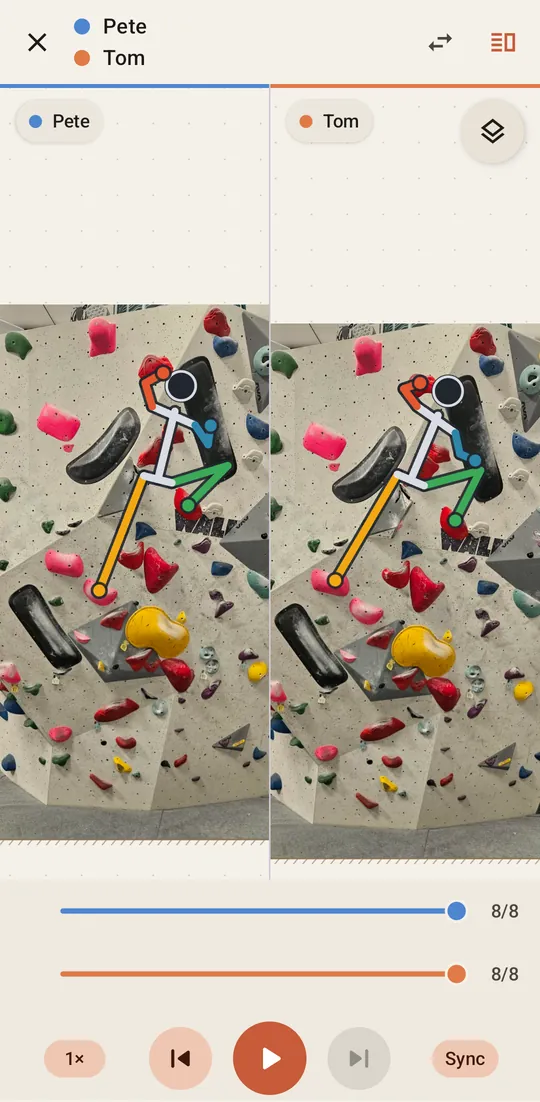
The two climbers share the wall, each in its beta’s colour. Sync is on from the start and lines them up by where they are on the wall, so the one ahead waits for the other. That is why the counters can differ, as in the clip below: move 4 of one beta sits level with move 3 of the other.
Press the Sync pill to turn it off and let each beta run at its own pace. Each climber also has its own slider, to move it by hand.
4. Split them apart
Where the two overlap too much to read, press the Side by side button at the top right. Each climber gets its own half of the screen. The arrows button beside it swaps the two.
Press to go back to your beta.